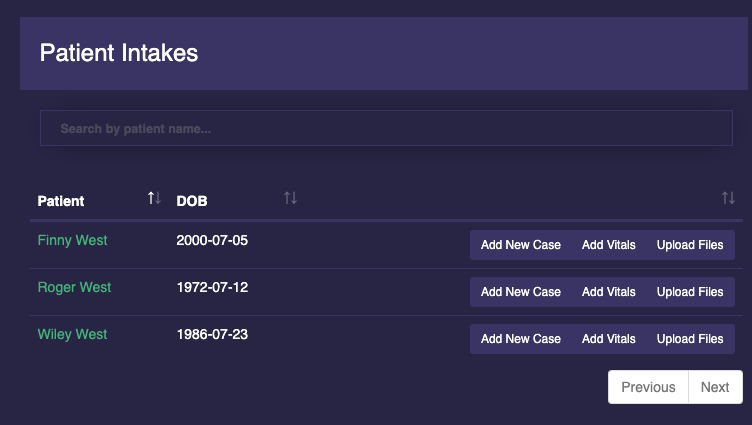
Patients submit intake forms by clicking on your clinic’s intake form link. If you need help finding this link, click the ‘INTAKE’ button on the top right of your Arfinn Med Dashboard.
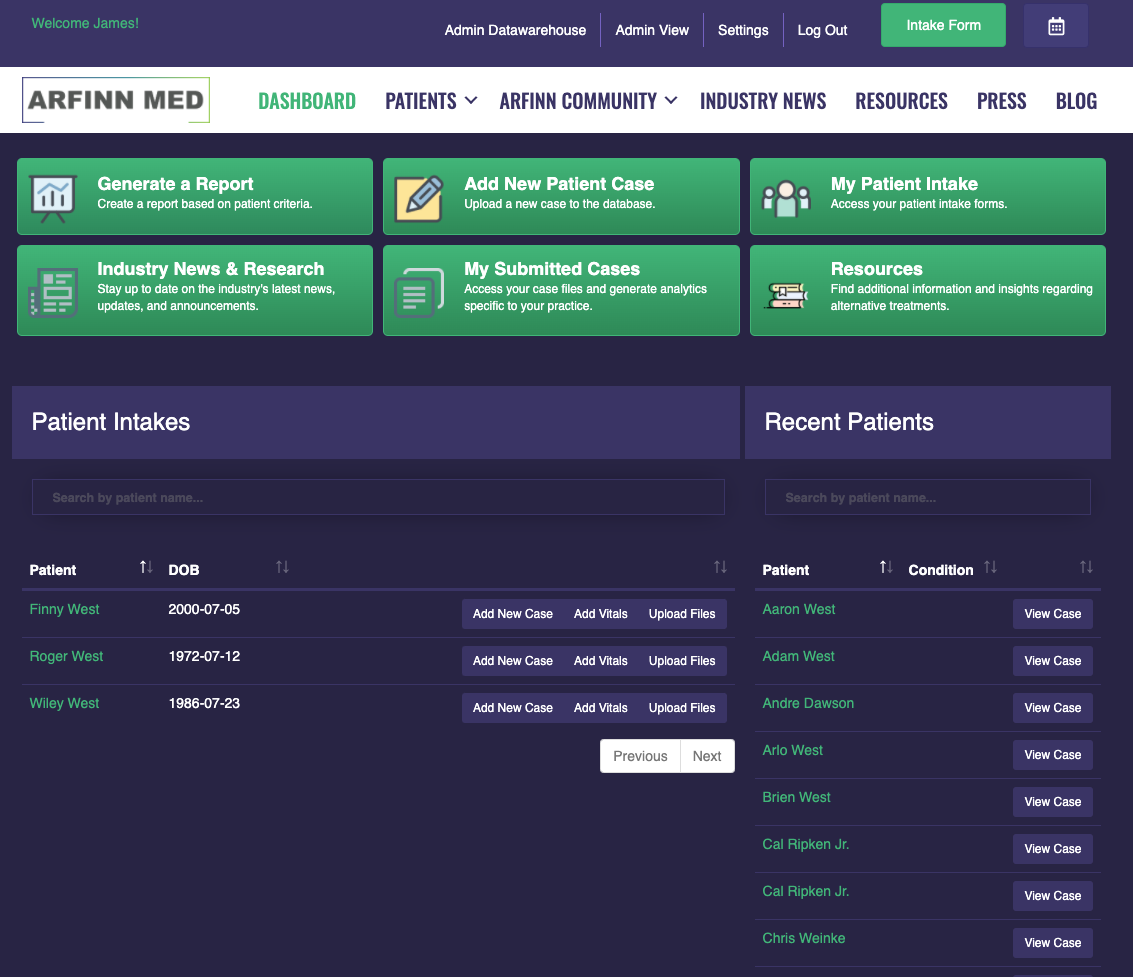
1) Once a patient fills out your intake form, they will populate on the left-hand side of your dashboard under the column ‘PATIENT INTAKES’.
2) To access or edit the information from the patient intake, click on the patient name in green. Click anywhere outside the pop-out to close.
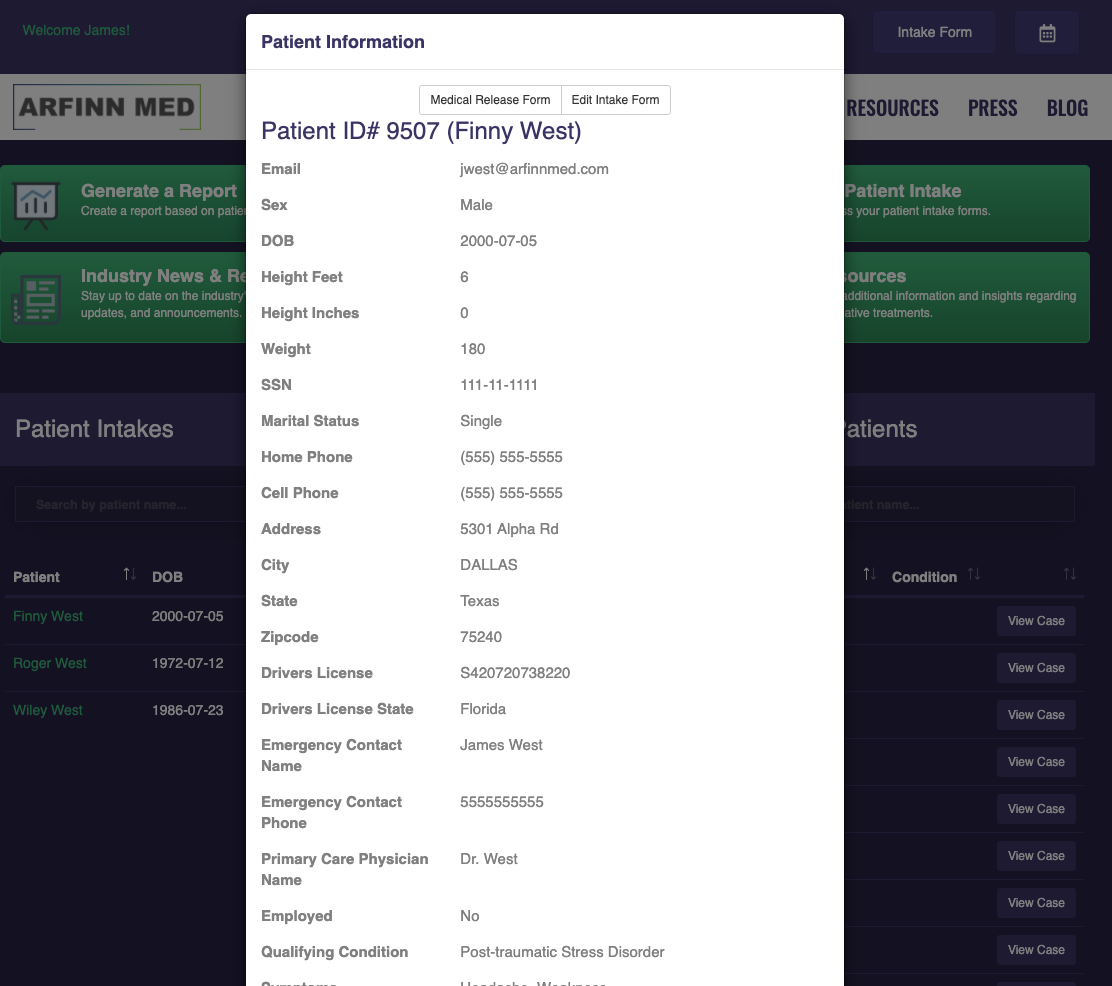
3) To start the medical record, click the ‘ADD NEW CASE’ button directly to the right of the patient name in the intake column.
4) You also have the option to ‘ADD VITALS’ and ‘UPLOAD FILES’ before the record is created by clicking on the corresponding button.